Basic
$9.99/month
7-day free trial
- Delivery zones by zip or postcode list or prefix
- Flat rate per zone
- Free delivery threshold per zone
- Block or fall back to Shopify rates outside every zone
 Delivery Rates by ZipShipping and delivery · Shopify app
happifyView Delivery Rates by Zip demo store 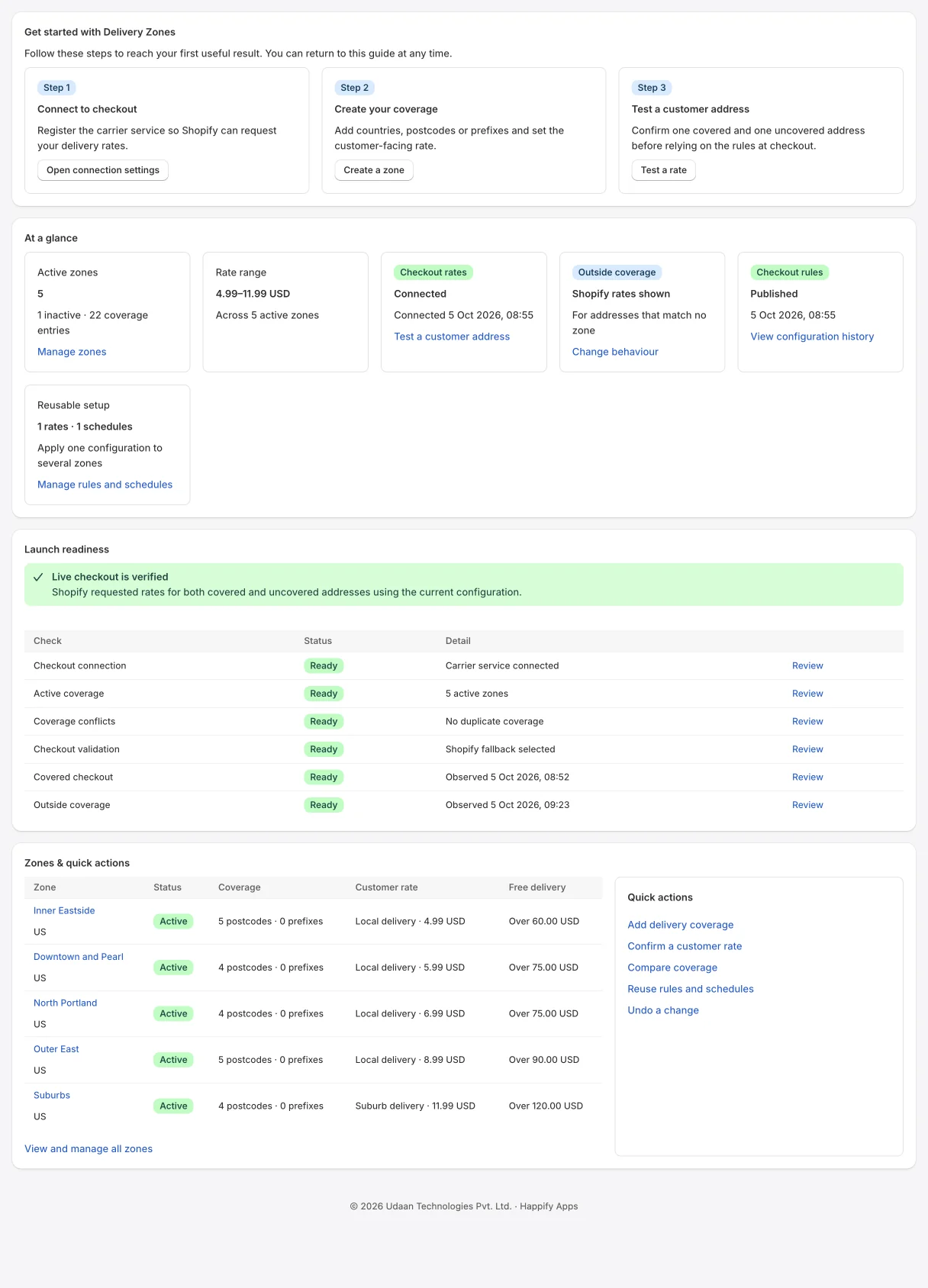
Launch readiness and checkout status
Local delivery rates by zip code, zone and cut-off time
Charge the right local delivery rate for every zip or postcode, right at checkout.
Everything below is in the app today. Plan labels show where a feature starts.
The app registers a carrier rate with Shopify. Settings checks that a shipping profile offers it and tells you how to add it if not.
Add zones from zip or postcode lists or prefixes, import a CSV with a preview, and give each a flat rate and an optional free delivery threshold.
Addresses outside every zone either see your normal Shopify rates or are blocked at checkout with your message.
Launch readiness confirms a covered and an uncovered checkout have been seen. On Pro, the rate tester explains the price for any address.
A store we run with fictional products and orders, with Happify Delivery Rates by Zip installed. Open it from the top of this page; the password is happify.
Every plan starts with a 7-day free trial. Prices are in US dollars per month and billed by Shopify on your Shopify invoice.
Basic
$9.99/month
7-day free trial
Advanced
$14.99/month
7-day free trial
Pro
$29.99/month
7-day free trial
Available on the Shopify App Store with these plans and prices. Change or cancel your plan at any time from the app. Compare every feature by plan in the setup guide.
Any Shopify plan with carrier-calculated shipping turned on. Some plans include it and others can add it; check Settings › Shipping and delivery or ask Shopify Support. Without it, Shopify does not ask the app for rates.
Since Shopify API 2026-10, a new carrier service is no longer added to your General profile automatically. The app checks your profiles and, if none offers it, shows how: Shipping and delivery › your profile › Add rate › Use carrier or app to calculate rates › Happify Zones.
You choose. By default customers see your normal Shopify shipping rates. If you choose “Block checkout with a message”, the checkout rule stops the order with your message, for example “Sorry, we do not deliver to this address yet.”
Yes. A zone can list exact zips or postcodes, prefixes, or whole countries. Conflict checks warn when two zones claim the same address before you go live.
On Advanced, configured time windows are shown in the checkout rate description, for example “Slots: 9–12, 12–3”. They are not saved as a separate order field.
No. Shopify sends the destination to the app at checkout to price it; the app keeps only whether that checkout was inside a zone, for launch readiness.
Yes. Launch readiness on the Overview shows whether a covered and an uncovered checkout have been seen. On Pro, the rate tester prices any address and explains each part of the price.
Merchant reviews live on the app’s Shopify App Store listing. There are none for the rebuilt app yet.
HappifyApps support
CURRENT RELEASE
Released September 24, 2026. Shopify API 2026-10.
Read the changelogSETUP GUIDE
Install, permissions, first run, every screen and plan, and what happens when you uninstall.
HUMAN SUPPORT
Send your store URL and a screenshot. We reply within 2 business days.
Submit a support requestOr email admin@happifyapps.com.
Each app is installed and billed on its own, and they share one data platform.
 Happify Pick List & Low StockPick lists for unfulfilled orders with low stock alertsFrom $9.99/month
 Happify Local Delivery SheetLocal delivery sheets, driver runs and packing listsFrom $9.99/month
 Happify Invoice & Packing SlipBranded invoices, packing slips and pick lists in one clickFrom $9.99/month
 Happify PWA: Home Screen AppLet shoppers install your store on their home screenFrom $9.99/month
 Happify Reorder PredictionsKnow which customers are ready to reorder, and whenFrom $39/month
 Happify Dead Stock RescueFind slow-moving and dead stock and free up trapped cashFrom $29/month