Basic
$9.99/month
7-day free trial
- Delivery sheet with address, phone, date and time slot
- Filters by delivery date, tag, postcode and order date
- Print view
- Packing summary for the selected orders
 Local Delivery SheetLocal delivery · Shopify app
happifyView Local Delivery Sheet demo store 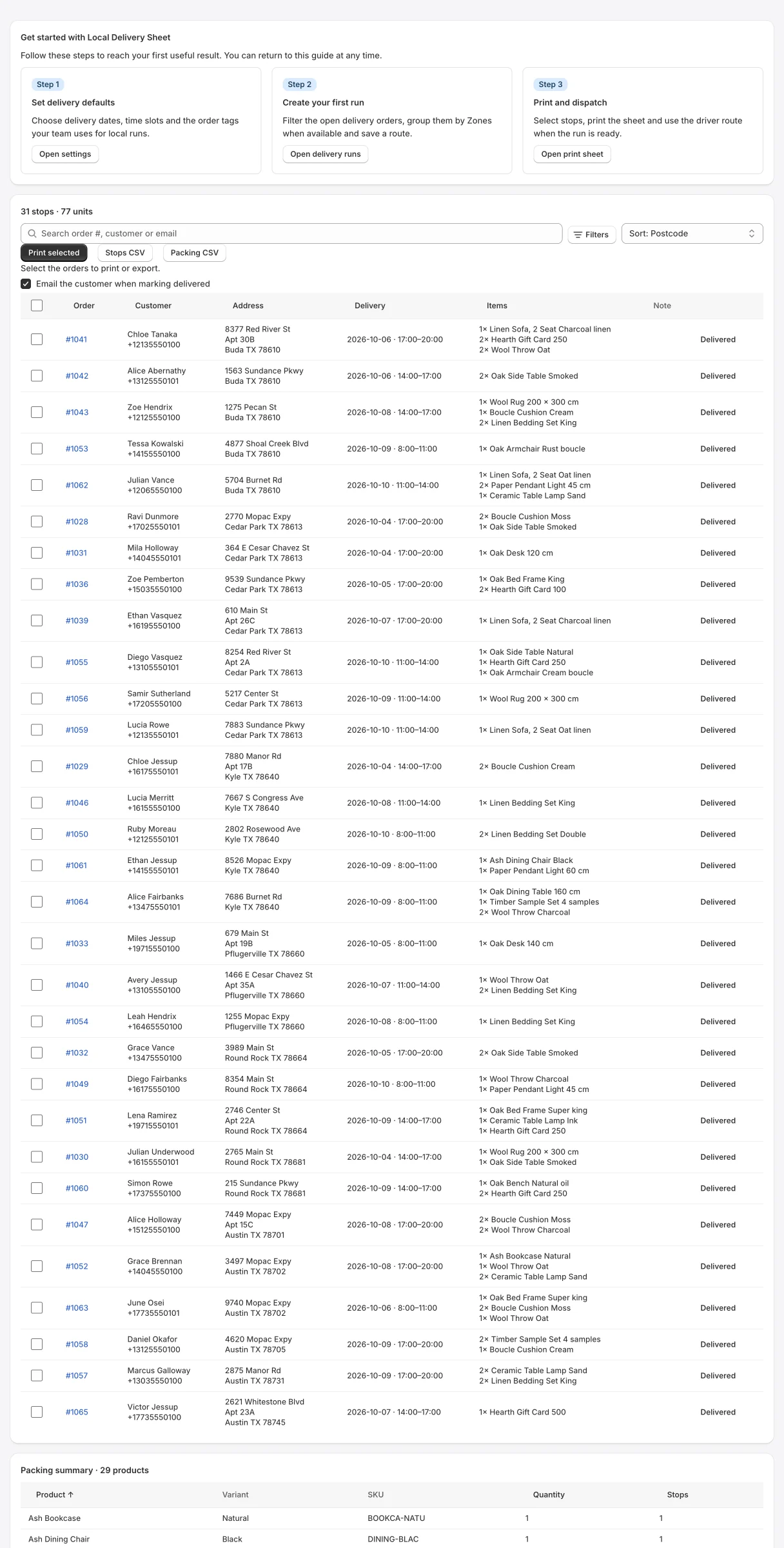
Deliveries filtered by date, with a packing summary
Local delivery sheets, driver runs and packing lists
Turn open orders into printable delivery sheets, driver runs and packing totals.
Everything below is in the app today. Plan labels show where a feature starts.
Tell the app which order attributes hold the delivery date and time slot. Common names from delivery date apps are already filled in.
Filter open delivery orders by date, tag, postcode or order date, then print the sheet with a packing summary or export CSV.
On Advanced, save runs grouped by postcode area, tag, time slot or delivery zone, reorder stops and send a secure link to the driver.
Mark orders delivered in Shopify. On Pro, drivers record outcomes with proof and customers get out-for-delivery updates.
A store we run with fictional products and orders, with Happify Local Delivery Sheet installed. Open it from the top of this page; the password is happify.
Every plan starts with a 7-day free trial. Prices are in US dollars per month and billed by Shopify on your Shopify invoice.
Basic
$9.99/month
7-day free trial
Advanced
$14.99/month
7-day free trial
Pro
$29.99/month
7-day free trial
Available on the Shopify App Store with these plans and prices. Change or cancel your plan at any time from the app. Compare every feature by plan in the setup guide.
From order attributes written by your delivery date app. In Settings you list the attribute names to read; “delivery date”, “delivery_date” and “date”, and “delivery time”, “time slot”, “timeslot” and “slot” are filled in by default.
No. On Advanced you send a secure link that expires after the number of days you set (7 by default). It stops working early if you cancel the run. There is no per-driver fee.
The run name, driver and vehicle, and for each stop the customer name, phone, email, address, items and notes. Your store’s internal ids are left out.
On Pro, dispatching a run can create an out-for-delivery update in Shopify with customer notification turned on, and completing it marks the same fulfillment delivered. Messages are sent by Shopify, not by the app.
Yes, on Advanced, when Happify Delivery Rates by Zip is installed on the same store. Choose zones as the grouping in Settings.
No. Stops are grouped and you can reorder them by hand, but the app does not optimise routes or track drivers.
On Pro, the driver page records delivered, attempted, failed or rescheduled, with an optional photo (up to 10 MB) and a signature.
Merchant reviews live on the app’s Shopify App Store listing. There are none for the rebuilt app yet.
HappifyApps support
CURRENT RELEASE
Released September 24, 2026. Shopify API 2026-10.
Read the changelogSETUP GUIDE
Install, permissions, first run, every screen and plan, and what happens when you uninstall.
HUMAN SUPPORT
Send your store URL and a screenshot. We reply within 2 business days.
Submit a support requestOr email admin@happifyapps.com.
Each app is installed and billed on its own, and they share one data platform.
 Happify Pick List & Low StockPick lists for unfulfilled orders with low stock alertsFrom $9.99/month
 Happify Delivery Rates by ZipLocal delivery rates by zip code, zone and cut-off timeFrom $9.99/month
 Happify Invoice & Packing SlipBranded invoices, packing slips and pick lists in one clickFrom $9.99/month
 Happify PWA: Home Screen AppLet shoppers install your store on their home screenFrom $9.99/month
 Happify Reorder PredictionsKnow which customers are ready to reorder, and whenFrom $39/month
 Happify Dead Stock RescueFind slow-moving and dead stock and free up trapped cashFrom $29/month